
Preparing AI Logos for Professional Sign Production
Creating a logo with AI has never been easier. Tools like ChatGPT, Adobe Firefly, Midjourney, Canva AI, and other AI image generators can quickly produce creative logo concepts for your business. However, a logo that looks great on your screen isn’t always ready to become a professional sign.
Many AI-generated logos contain details, effects, or artwork that can be difficult to manufacture or reproduce consistently across storefront signs, vehicle graphics, dimensional letters, apparel, business cards, and other branded materials.
This guide will help you create AI-generated logos that are better suited for professional sign production. You’ll learn how to write more effective AI prompts, avoid common design issues, understand why sign companies sometimes ask for different files, and discover how a few simple adjustments can make your logo easier to manufacture while preserving the look and feel of your original idea.
💡 Quick AI Tip
Tell AI where your logo will be used
Instead of asking AI to simply “create a business logo,” tell it you’re creating a logo for storefront signage, vehicle graphics, business cards, apparel, and digital marketing. Giving AI this context often produces cleaner, more versatile logo concepts that are easier to reproduce across multiple applications.
Why AI Logos Aren’t Always Ready for Professional Signs
AI is an excellent tool for generating creative logo concepts, but it’s important to remember that AI is designed to create images—not manufacture signs. A logo that looks sharp on a computer screen may need a few refinements before it can be produced as channel letters, dimensional letters, vehicle graphics, window graphics, or other professional signage.
That doesn’t mean your AI-generated logo is wrong. In fact, many AI logos make excellent starting points. The goal is simply to ensure your logo can be reproduced consistently across all the places your business will use it.
A well-designed logo should look just as good on a storefront sign as it does on a business card, company vehicle, website, social media profile, or embroidered shirt. Creating a logo with those real-world applications in mind often leads to a stronger, more versatile brand.
Common Reasons a Sign Company May Request Changes
- The logo contains very fine details that may not reproduce well at larger or smaller sizes.
- Lettering is difficult to read from a distance.
- Thin lines or small elements may be difficult to fabricate.
- Gradients, shadows, or special effects may not translate well to certain sign types.
- The file provided isn’t suitable for professional production.
Most of these issues are easy to address, especially when they’re identified early in the design process.
💡 Quick AI Tip
Think of AI as your concept designer—not your production artist.
AI is great at generating creative ideas, but a professional sign requires artwork that can be manufactured, installed, and reproduced consistently across many different applications.
Before You Generate Your AI Logo
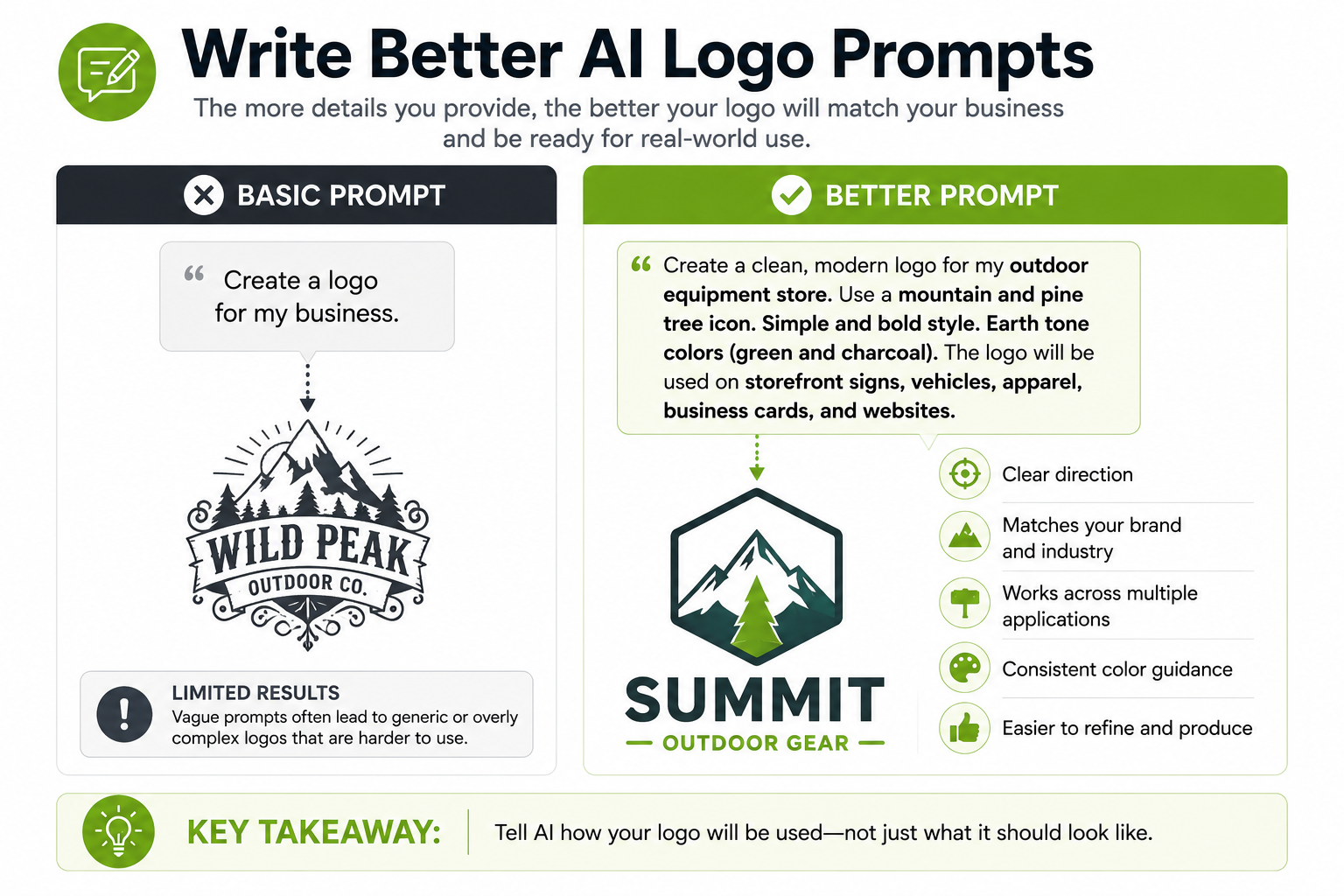
The quality of your AI-generated logo starts with the prompt you give the AI. A few extra details can make the difference between a logo that’s easy to turn into a professional sign and one that requires significant refinement.
Instead of asking AI to simply “create a logo,” tell it how the logo will be used. This helps the AI generate concepts that are better suited for real-world applications rather than artwork designed only for a computer screen.
Tell AI Where Your Logo Will Be Used
A professional business logo should work across many different applications, not just on a website or social media profile.
Consider mentioning uses such as:
- Storefront signs
- Vehicle graphics
- Business cards
- Company apparel
- Window graphics
- Digital marketing
Giving AI this context often results in cleaner, more versatile logo concepts.
Ask for Simplicity
When creating a logo for professional signage, simpler is often better.
Try including phrases like:
- Clean, modern logo
- Bold shapes
- Minimal fine detail
- Easy-to-read lettering
- Professional and timeless
- Simple color palette
These prompts encourage AI to generate logos that are easier to reproduce at a variety of sizes and on different materials.
Avoid Describing Visual Effects
Instead of asking AI for metallic finishes, chrome effects, glass textures, shadows, or highly detailed gradients, focus on the logo’s overall style and shape.
Many professional signs create these effects through the materials themselves rather than the artwork. Starting with a clean logo gives you more flexibility when choosing how the finished sign will look.
💡 Quick AI Tip
Describe the function of your logo—not just its appearance.
Instead of:
Create a cool roofing company logo.
Try:
Create a clean, modern roofing company logo designed for storefront signs, vehicle graphics, business cards, and embroidered apparel using bold shapes, a simple color palette, and highly readable lettering.
The more context you give AI, the more likely it is to create a logo that’s ready for real-world branding.
Keep Your AI Logo Simple and Versatile
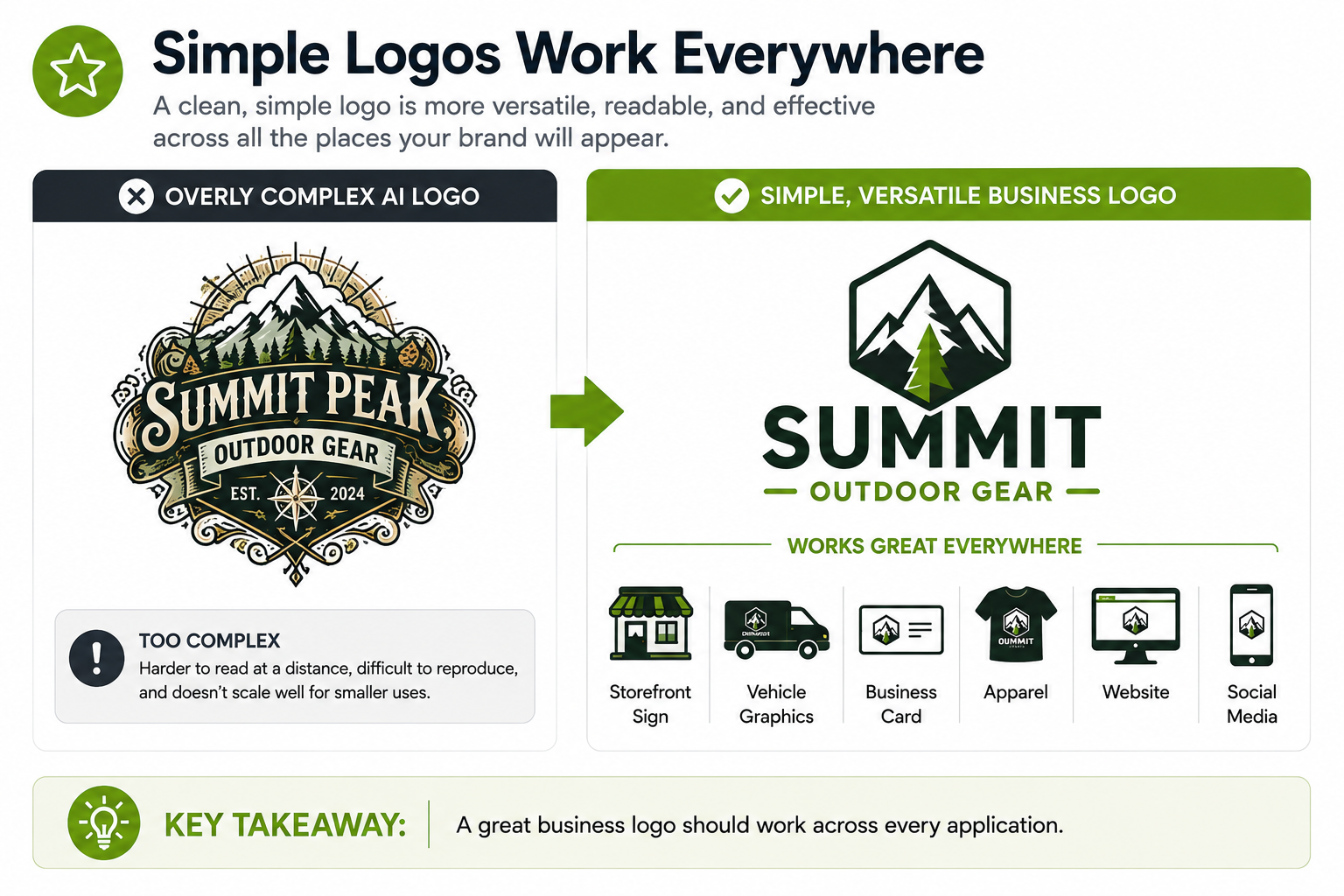
One of the most common challenges with AI-generated logos is that they’re designed to look impressive on a screen. AI often adds intricate details, decorative effects, gradients, and highly stylized lettering because those elements create eye-catching images.
For a business logo, however, versatility is often more important than complexity.
A successful logo should look professional whether it’s displayed on a storefront sign, company vehicle, business card, embroidered shirt, social media profile, or website. The simpler and more recognizable the design, the easier it is to reproduce consistently across all of those applications.
That doesn’t mean your logo has to be plain. It simply means the strongest logos rely on clear shapes, readable lettering, and thoughtful design rather than excessive detail or special effects.
Features That Often Cause Problems
When prompting AI, try to avoid asking for logos that include:
- Extremely fine details
- Thin lines or delicate elements
- Small or highly decorative text
- Heavy gradients and shadow effects
- Busy backgrounds or unnecessary embellishments
- Too many colors
These features may look impressive on a computer screen but can become difficult to reproduce consistently across different materials and manufacturing methods.
Think Beyond Your First Sign
As your business grows, you’ll likely use your logo in many different places.
Ask yourself:
- Will it still be recognizable on a business card?
- Will the lettering be readable on a vehicle?
- Will it look clean on embroidered apparel?
- Will it remain recognizable from across a parking lot?
- Will it still work if it’s reproduced in a single color?
If the answer is yes, you’ve probably created a logo that will serve your business well for years to come.
💡 Quick AI Tip
Prompt AI to create a logo that’s easy to recognize—not just visually impressive.
Try adding phrases such as:
Use bold shapes, minimal fine detail, a simple color palette, and highly readable lettering that works across storefront signs, vehicles, business cards, apparel, and digital marketing.
This encourages AI to create logos that are more adaptable as your business grows.
Download the Best File AI Can Provide
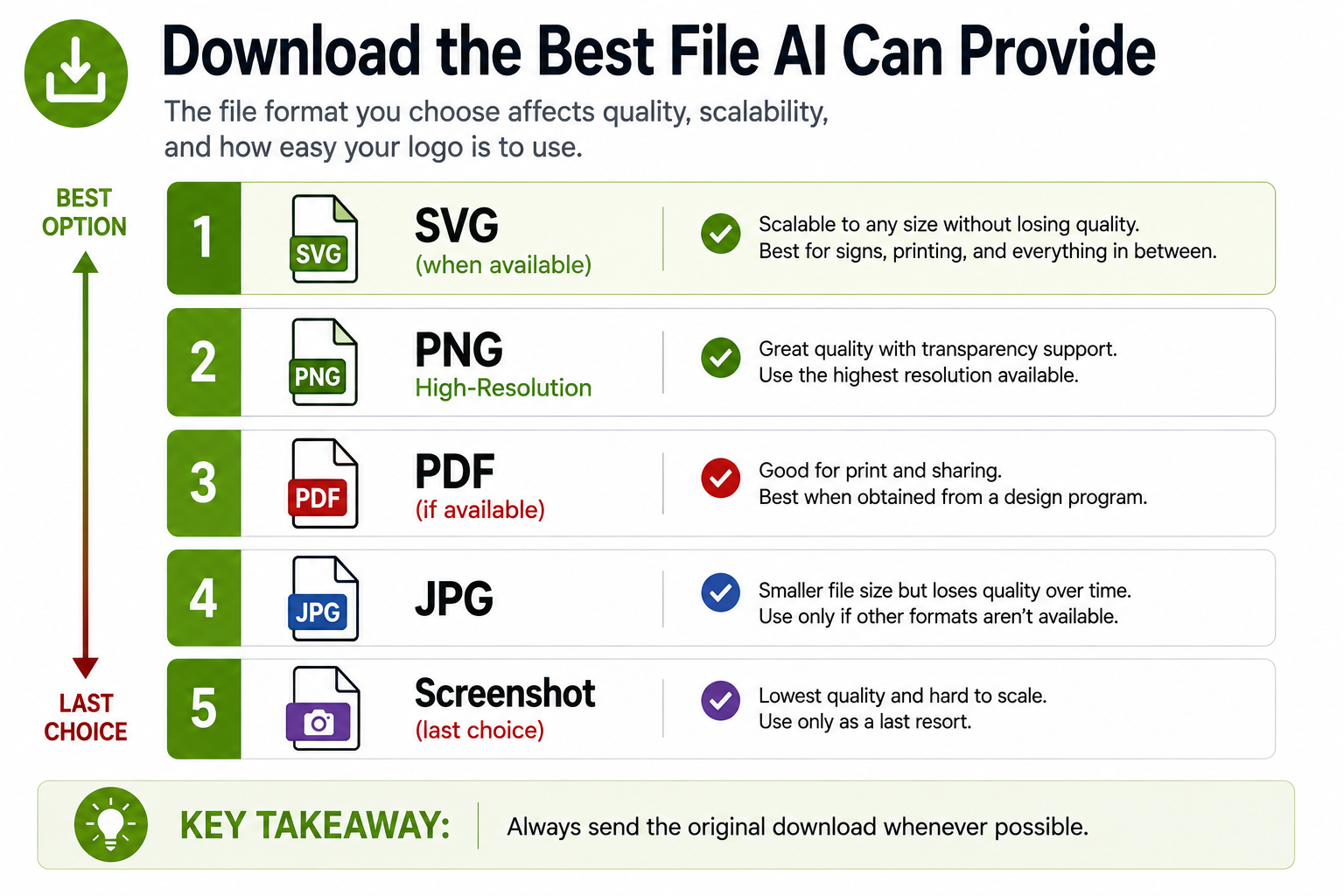
Once you’ve created a logo you’re happy with, download the highest-quality version available from your AI platform.
Whenever possible:
- Download the highest-resolution image available.
- If the AI platform offers an SVG or vector download, choose that option.
- Save the original AI-generated file before making edits.
- Keep multiple versions if you’re deciding between concepts.
Avoid taking screenshots of your logo whenever possible. A direct download from the AI platform will almost always provide better quality than a screenshot.
If you’re unsure which file is best, download all available options and send them to us. We’ll help determine which version is most suitable for your project.
💡 Quick AI Tip
Always save the original download from your AI platform.
Even if you edit the logo later, keeping the original file gives your sign company the best starting point if additional artwork preparation is needed.
Why Your Sign Company May Ask for a Different File
One of the most common questions we hear is:
“Why can’t you just use the AI logo I downloaded?”
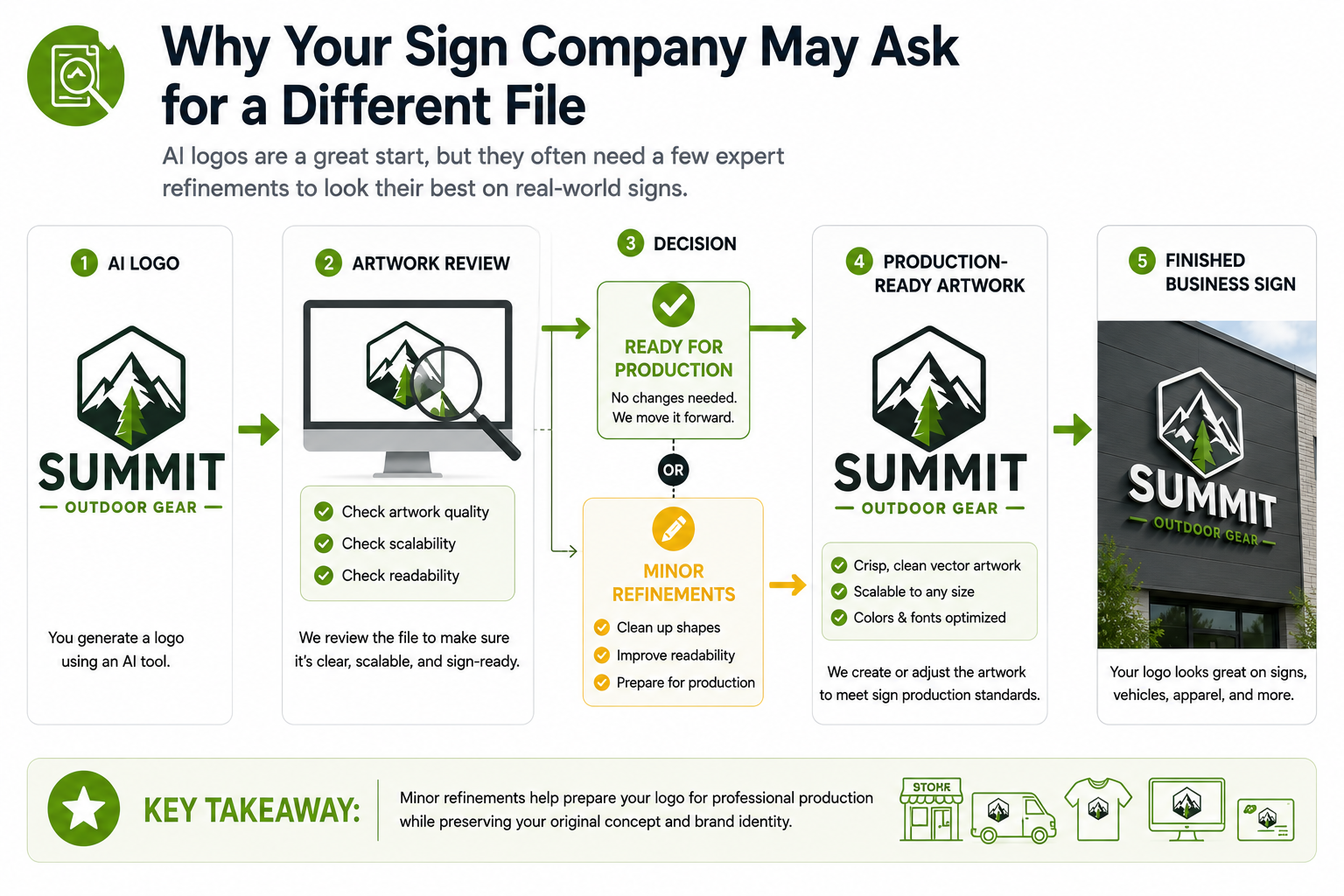
In many cases, we can use it as a starting point. However, depending on how your logo will be produced, we may recommend a higher-quality file or professionally recreate the artwork as a clean vector graphic when needed.
This isn’t because your AI logo is bad. It’s because different types of signs and graphics often require artwork that can be resized, manufactured, and reproduced without losing quality.
For example, a logo that looks great on your computer may need to be enlarged for a storefront sign, reduced for a business card, cut from vinyl, fabricated as dimensional letters, or illuminated as channel letters. Having the right artwork helps ensure your logo looks clean and consistent in every application.
Don’t Worry If You Don’t Have a Vector Logo
Many business owners don’t have a vector version of their logo—and that’s perfectly okay.
If you’ve created your logo with AI, simply send us the highest-quality files you have. We’ll review your artwork and let you know if anything else is needed before production.
In many cases, we can refine or recreate the artwork while preserving the overall look and feel of your original logo.
Need More Information About Artwork Files?
If you’d like to learn more about image resolution, raster graphics, vector graphics, and the best file formats for large-format printing, we’ve created a separate guide that explains those topics in more detail.
👉 Preparing AI-Generated Artwork for Large Format Printing
💡 Quick AI Tip
Don’t use an automatic trace program unless someone specifically asks you to.
If your AI logo isn’t already a vector file, avoid uploading it to an online auto-trace tool just to create a vector version. Automatic tracing often produces unnecessary points, rough curves, and inconsistent shapes that still require cleanup before production.
Instead, send us the highest-quality version of your logo. We’ll review it and let you know if it can be used as-is or if recreating it as a clean vector graphic is the better solution.
We Can Usually Refine Your AI Logo
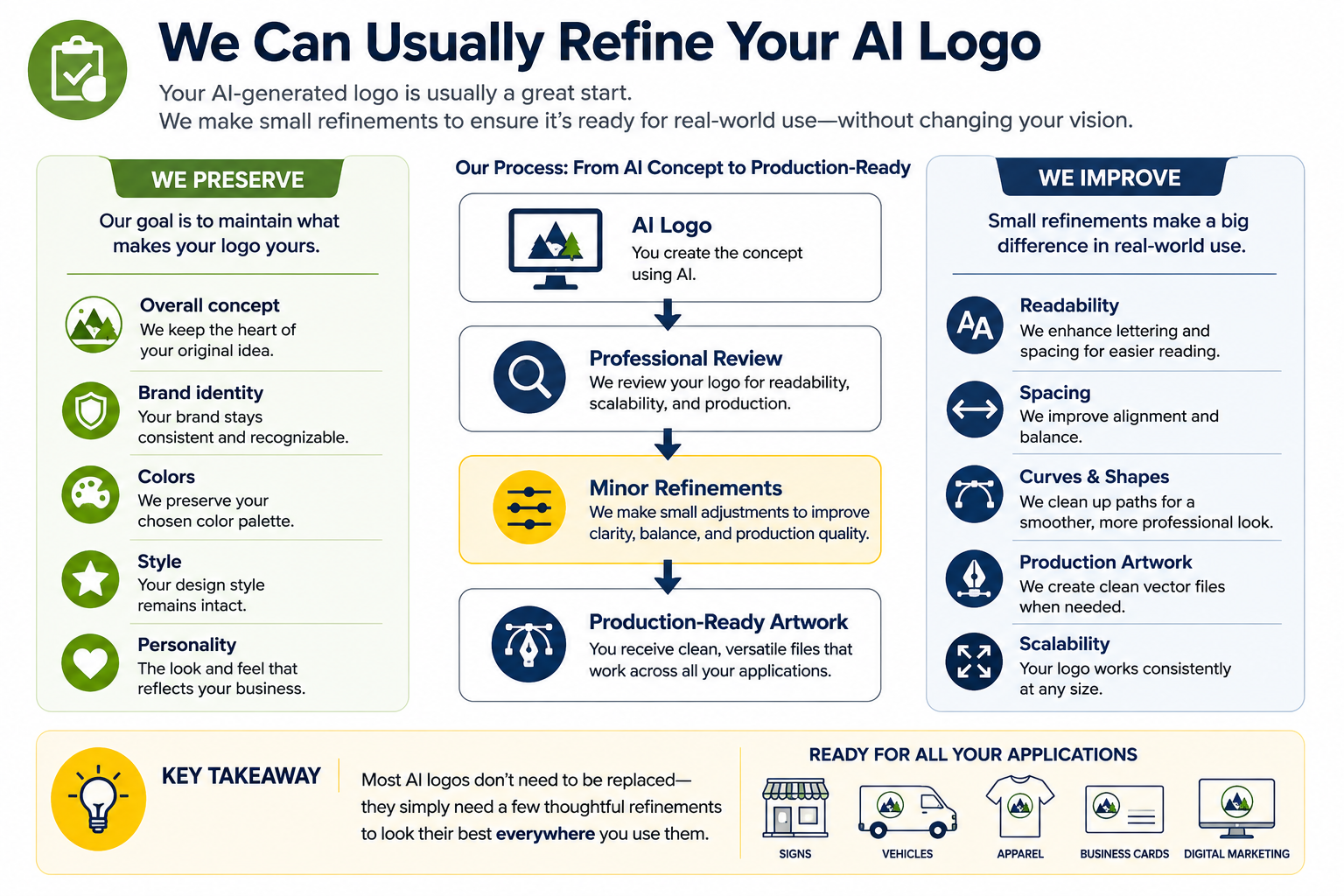
If your AI-generated logo isn’t quite ready for production, don’t worry—you probably don’t need to start over.
In many cases, we can refine your existing logo while preserving the overall concept you created with AI. Small adjustments can often improve readability, simplify complex details, and prepare the artwork for professional sign production without changing the identity of your brand.
Our goal isn’t to redesign your logo. It’s to help ensure it works consistently across the many ways you’ll use it to represent your business.
What We May Recommend
Depending on your project, we may suggest improvements such as:
- Simplifying fine details that may not reproduce well.
- Improving the spacing or readability of lettering.
- Cleaning up curves and shapes for a more professional appearance.
- Creating a clean vector version for production when appropriate.
- Preparing artwork that can be used consistently across signs, vehicles, apparel, business cards, and digital marketing.
Every project is different, so we’ll always explain our recommendations before moving forward.
Our Goal Is to Preserve Your Vision
Your AI-generated logo represents your ideas and your business. If refinements are needed, we focus on maintaining the overall style and personality of your design while making it more practical for real-world applications.
Most customers are surprised by how much of their original concept can be preserved with just a few thoughtful adjustments.
💡 Quick AI Tip
Save every version of your AI logo
If you generate several concepts, keep them all—even the ones you don’t choose. Sometimes a color scheme, icon, or lettering style from one version can help improve another, giving us more flexibility when refining your final logo.
What to Send Your Sign Company
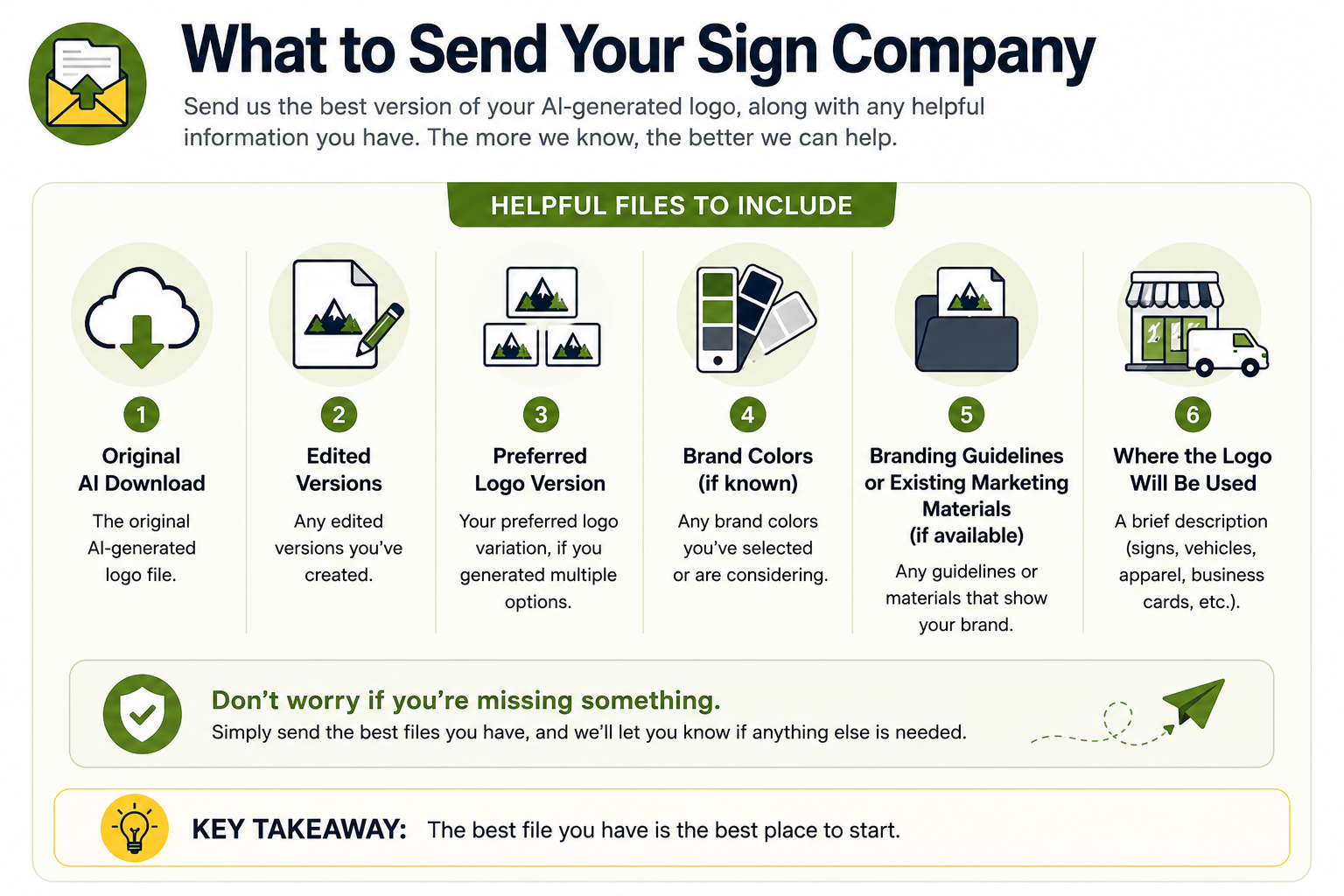
Don’t worry if you don’t have every file listed below. Simply send us the best version of your AI-generated logo, and we’ll let you know if anything else is needed.
Providing as much information as possible helps us evaluate your logo, recommend any improvements, and prepare your artwork for professional sign production more efficiently.
Helpful Files to Include
If available, send us:
- The original AI-generated logo download.
- Any edited versions you’ve created.
- Your preferred logo variation, if you generated multiple options.
- Brand colors, if you’ve selected them.
- Any branding guidelines or existing marketing materials (if available)
- A brief description of where the logo will be used (storefront sign, vehicle graphics, apparel, business cards, etc.).
The more information we have, the better we can help prepare your logo for professional production
Don’t Worry If You’re Missing Something
Many customers don’t know what file types or fonts they have—and that’s perfectly okay. AI-generated logos don’t always use standard, identifiable fonts, so don’t worry if you can’t tell us the font name. Simply send us the best version of your logo, and we’ll help determine what’s needed.
If all you have is the original file you downloaded from your AI platform, send it to us. We’ll review it, explain any recommendations, and help determine the best path forward.
💡 Quick AI Tip
Don’t spend hours trying to “fix” your AI logo before sending it.
If you’re unsure whether your logo is production-ready, send us the original files first. It’s often easier to work from the original artwork than from multiple edited or converted versions.
Frequently Asked Questions
Ready to Bring Your AI Logo to Life?
Whether you’re planning a new storefront sign, vehicle graphics, or a complete branding package, Pacific West Signs can help prepare your AI-generated logo for professional production. We’ll review your artwork, recommend any necessary refinements, and help you move confidently from concept to finished product.