
Common AI Mistakes in Commercial Sign Design
Artificial intelligence has become an excellent tool for exploring commercial sign ideas, experimenting with different styles, and communicating design concepts. Used correctly, AI can save time and inspire creative solutions.
Like any design tool, however, AI has limitations. It doesn’t automatically understand budgets, fabrication methods, building conditions, or local sign requirements. As a result, some AI-generated concepts look impressive on screen but require adjustments before they can become real-world signs.
The good news is that most of these mistakes are easy to avoid. By understanding a few common pitfalls, you’ll create better AI concepts, have more productive conversations with your sign company, and move your project forward with greater confidence..
💡 Quick AI Tip
Think of AI as a creative partner—not a commercial sign expert. buildable.
AI is excellent at generating ideas, but experienced sign professionals help ensure those ideas can be fabricated, permitted, installed, and built to last.
Mistake #1: Treating an AI Concept as a Finished Sign
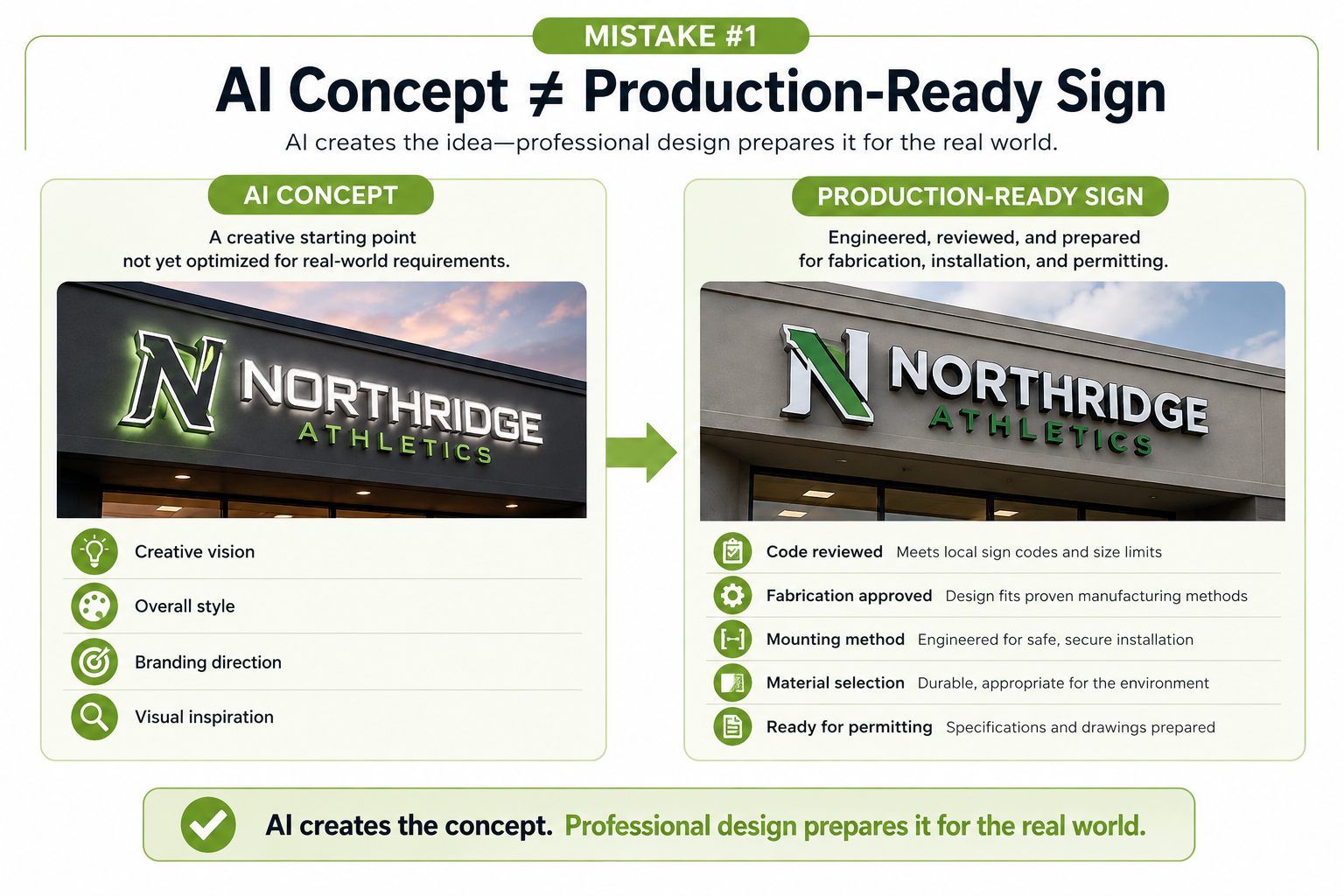
One of the most common misconceptions about AI-generated sign designs is assuming the image represents a finished, production-ready sign.
In reality, AI creates visual concepts—not engineered sign designs. While the rendering may look complete, it hasn’t evaluated your building, project requirements, local sign codes, fabrication methods, or installation conditions.
That’s why it’s completely normal for a professional sign company to recommend adjustments before moving forward. Those changes aren’t meant to replace your idea—they’re intended to make it practical, code-compliant, and suitable for long-term use.
Think of your AI concept as the starting point of the design process rather than the finished product.
What AI Doesn’t Show
An AI rendering typically doesn’t include:
- How the sign will be mounted.
- Whether the design can be fabricated.
- Local sign code or landlord requirements.
- Material specifications.
- Structural or electrical considerations.
- Production drawings needed for manufacturing.
These details are what transform an attractive concept into a successful commercial sign.
💡 Quick AI Tip
Don’t judge your AI concept by how “finished” it looks.
A realistic rendering can create the impression that a sign is ready to build, even though important engineering, fabrication, and permitting decisions still need to be made.
Mistake #2: Creating a Sign That Doesn’t Fit Your Budget
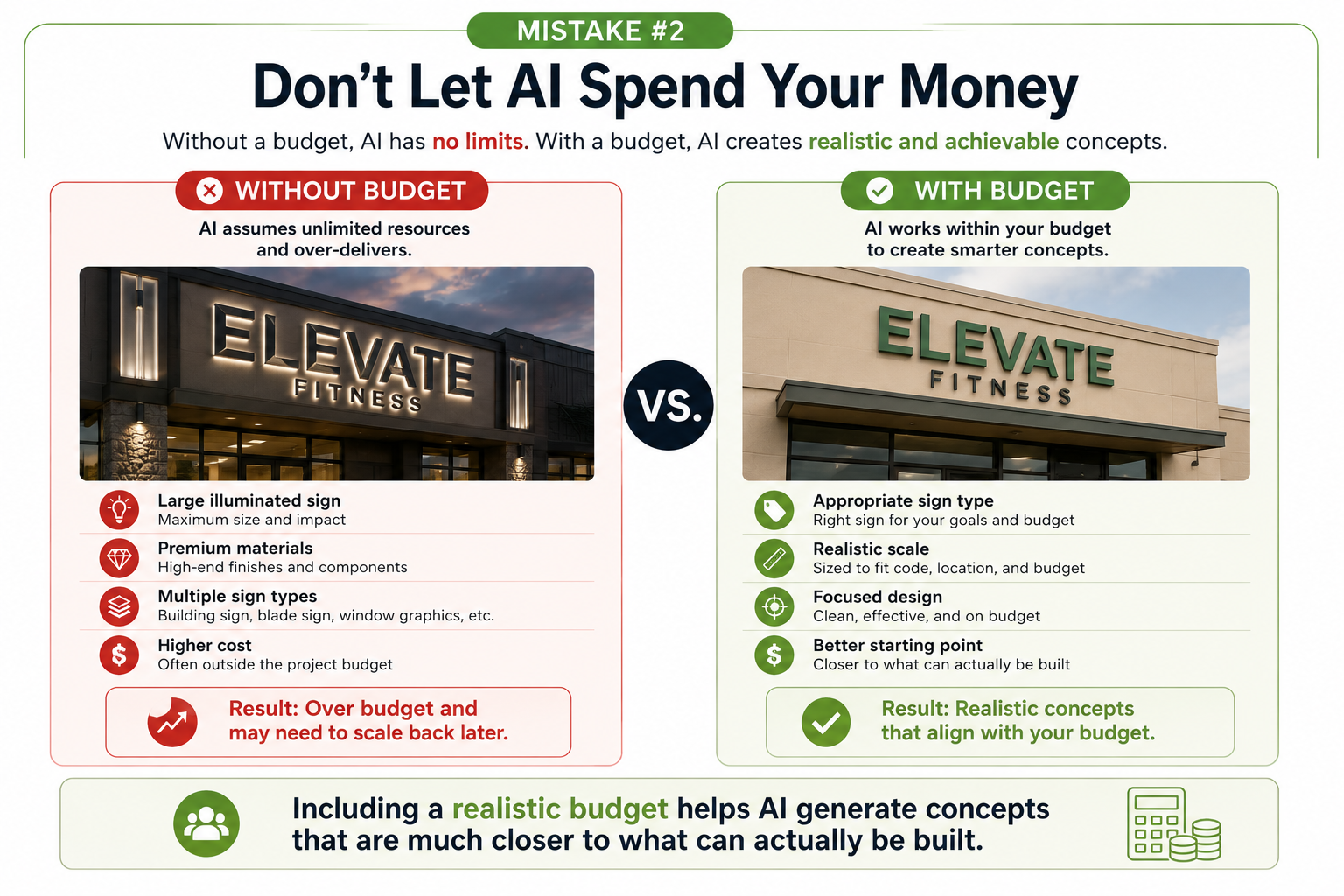
Artificial intelligence has no built-in understanding of your project’s budget. Unless you specifically provide one in your prompt, AI is likely to generate the most visually impressive solution—not necessarily the most practical one.
For example, AI may create a concept featuring large illuminated channel letters, custom architectural elements, premium materials, or multiple sign types when your budget may only support a simpler solution.
This doesn’t mean the AI concept is “wrong.” It simply means the design hasn’t been created with real-world cost considerations in mind.
Starting with a realistic budget helps AI generate concepts that are much closer to what can actually be built.
Common Budget-Related AI Mistakes
- Designing a sign that’s significantly larger than necessary.
- Choosing illuminated signs when non-illuminated signage may better fit the budget.
- Including premium materials or custom fabrication details without considering cost.
- Combining multiple sign types into one project when a simpler solution would be more practical.
Understanding your budget early helps you focus on concepts that are both attractive and achievable.
💡 Quick AI Tip
Include an approximate budget in your AI prompt whenever possible.
Even a simple range—such as “$3,000–$5,000” or “under $10,000″—can help AI generate concepts that are more aligned with your project’s goals.
📚 Continue Learning
Designing a Business Sign That Fits Your Budget
A realistic budget helps AI generate concepts that are closer to what can actually be built. Learn how budget influences sign type, materials, illumination, and overall project cost.
Mistake #3: Designing Something That Can’t Be Built
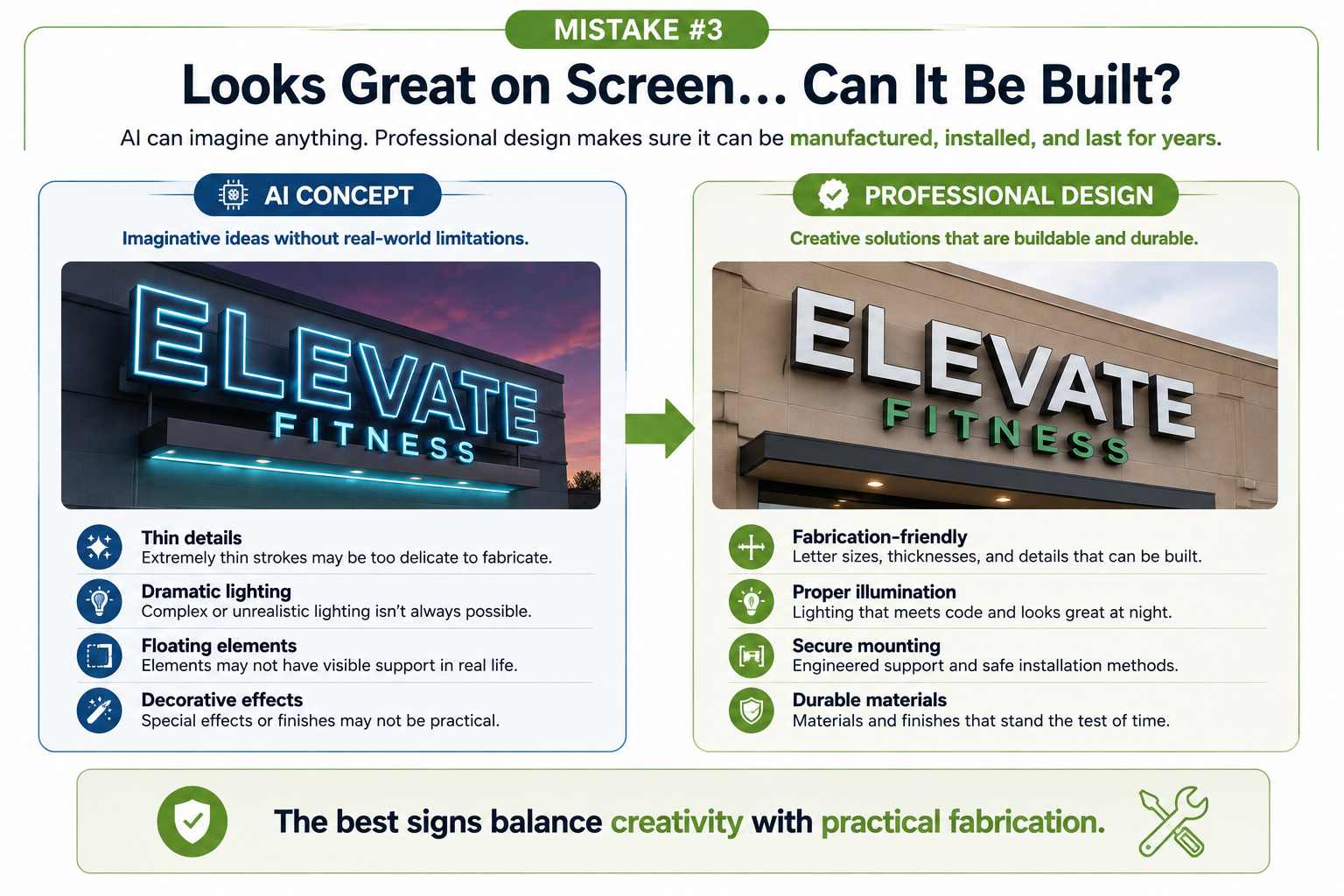
AI can create beautiful sign concepts, but it doesn’t understand how commercial signs are actually fabricated. As a result, some AI-generated designs include details that look impressive on screen but aren’t practical to manufacture or install.
Professional sign companies work within the limitations of real materials, fabrication methods, lighting systems, and installation requirements. While many AI concepts can be adapted, others require simplifying or modifying certain elements before they can become real signs.
The goal isn’t to change your idea—it’s to preserve the overall look while making sure it can be built successfully.
Common Fabrication Mistakes
Some of the most common AI-generated design issues include:
- Extremely thin letters or decorative details that can’t be fabricated reliably.
- Unrealistic lighting effects that don’t reflect how illuminated signs actually work.
- Floating design elements with no visible method of support or mounting.
- Material combinations that aren’t practical or durable for long-term outdoor use.
- Complex shapes that significantly increase fabrication difficulty and cost.
Many of these issues can be resolved with thoughtful adjustments while preserving the overall style of your original concept.
💡 Quick AI Tip
Simple, well-defined designs are usually easier to fabricate and often produce a stronger finished sign.
Removing unnecessary details doesn’t mean sacrificing quality—it often improves readability, durability, and long-term performance.
📚 Continue Learning
Preparing AI Logos for Professional Sign Production
Learn how to create AI-generated logos that are easier to fabricate, scale, and reproduce across real-world signage.
Mistake #4: Ignoring Site Conditions and Sign Codes
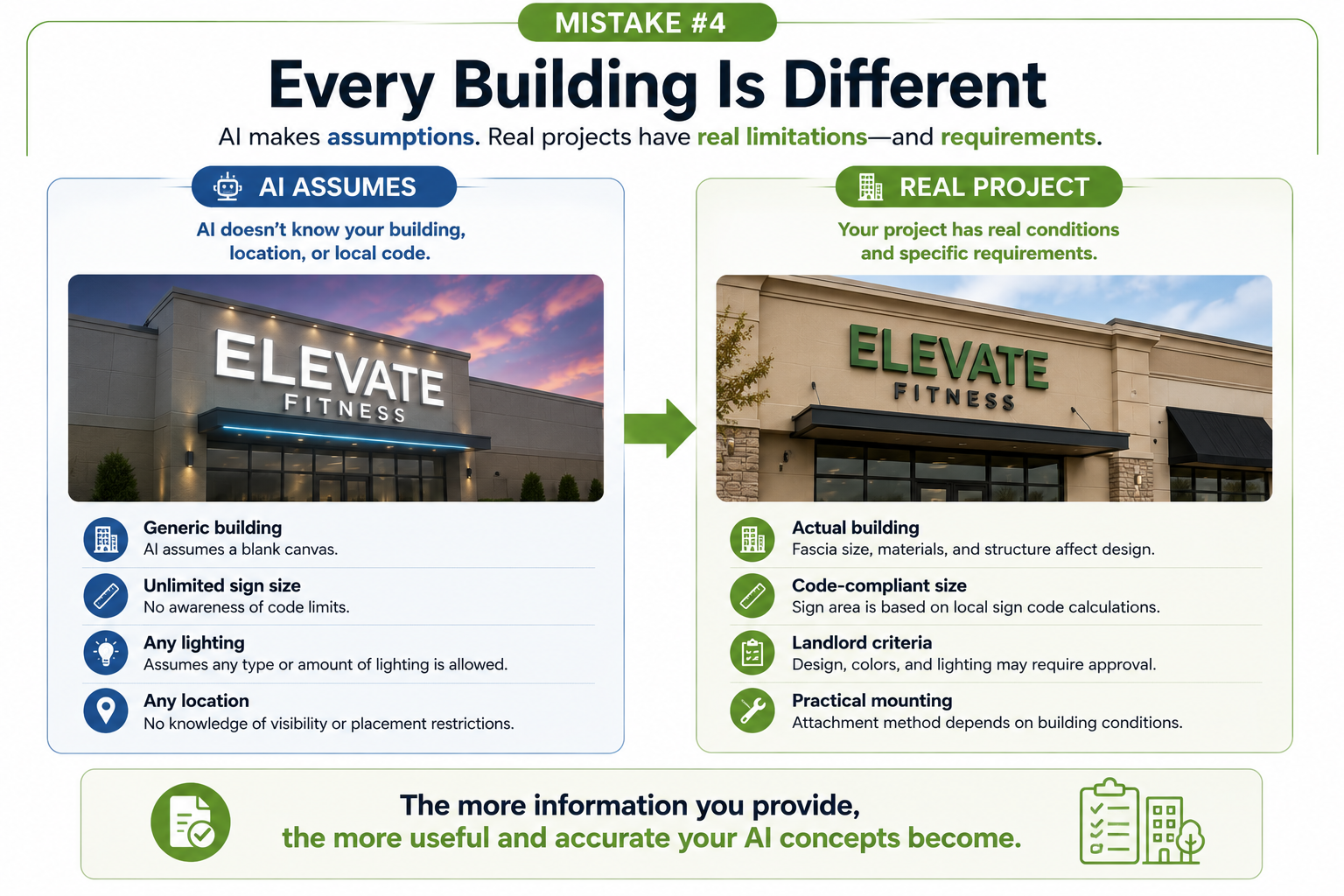
One of the biggest limitations of AI is that it has no knowledge of your actual building or project site. Unless you provide detailed information, AI creates concepts based on assumptions rather than real-world conditions.
A design that looks perfect on screen may not meet local sign regulations, comply with landlord design criteria, or fit the architecture of your building. These factors often require adjustments before a sign can move into permitting and fabrication.
This doesn’t mean the AI concept failed—it simply means the design needs to be adapted to the realities of your specific project.
Common Site and Code Mistakes
AI-generated concepts often:
- Place signs larger than local sign codes allow.
- Ignore landlord design standards for shopping centers or business parks.
- Cover windows, architectural features, or other important building elements.
- Position signs where structural or installation limitations exist.
- Assume every location allows the same sign types, lighting, or placement.
A professional review helps identify these issues early so they can be addressed before permits are submitted or fabrication begins.
💡 Quick AI Tip
Include a photo of your building and mention your city whenever possible.
Providing site photos, your location, and any known landlord requirements helps AI generate concepts that are much closer to your real project.
📚 Continue Learning
Why AI Sign Mockups Don’t Match Sign Codes
Learn why AI-generated concepts often change before fabrication and how sign codes, landlord requirements, and building conditions influence the final design.
Use AI With Confidence—Just Set Realistic Expectations
Artificial intelligence is changing the way businesses explore commercial sign ideas, and that’s a good thing. It makes it easier than ever to visualize concepts, compare design styles, and communicate your vision before a project begins.
The key is understanding what AI does well—and where experienced sign professionals add value. Budgets, fabrication methods, site conditions, and sign code requirements all influence the final design, even when an AI-generated concept looks complete.
The good news is that most AI design mistakes are easy to avoid. By treating AI as a creative starting point rather than a finished sign, you’ll create stronger concepts, have more productive conversations with your sign company, and move your project forward with greater confidence.
📚 Continue Your AI Learning
If you’d like to explore these topics in more detail, visit our AI Sign Design Resource Center, where you’ll find additional guides covering budgeting, artwork preparation, logo design, and sign code considerations.
Frequently Asked Questions
Ready to Turn Your AI Concept Into a Real Sign?
Whether you’ve created your first AI-generated sign concept or experimented with several different ideas, Pacific West Signs can help you determine what’s ready to move forward—and what may need a few adjustments.
We’ll review your AI concepts, answer your questions, explain any code or fabrication considerations, and help you transform your ideas into a professional commercial sign that’s designed to be permitted, manufactured, and built to last.
No matter which AI platform you use, our goal is to help you get the most from your ideas while avoiding costly surprises later in the project.